
How to play the surfing game (Surf) on Microsoft Edge Chromium

When you lose your Internet connection, what games do you usually play on web browsers?
Yes, every time you lose your life, I believe many of you will immediately think of the legendary T-rex game available on Google Chrome browser, right 🙂
Most of us will sit and play it while waiting for the network problem to be fixed, or if you have free time, you can also play to kill time, because you can play this game even when connected to the Internet.
Microsoft’s new web browser is no less competitive when in their 82 update, Microsoft also has a game to play when offline called
Surf
.

So how interesting is this game, how to play? Please join us to find out more details in this article!
I. How to play Edge’s surfing game
Specifically, from update 82 of Microsoft Edge Chromium, the surfing game called Suft has been added to Edge by the development team.
If you have not installed or updated to the new version, you can download it here: How to download and install the official version of Microsoft Edge Chromium
Or here: https://www.microsoftedgeinsider.com/en-us/download

#1. How to open Surf game on Microsoft Edge
As I said at the beginning of the article, this is a game designed to be played when the computer does not have an Internet connection. When there is no Internet, you just need to press the button
Launch Game
to play
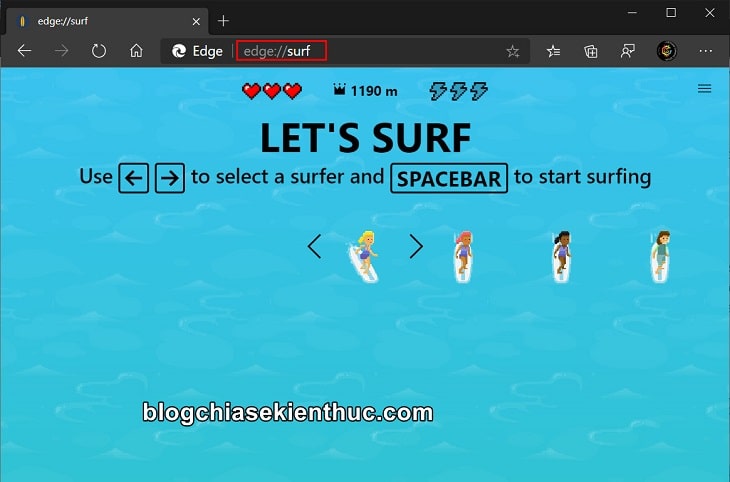
However, if you still want to play without having to disconnect from the Internet, please visit this address:
edge://surf/
Immediately the game character selection screen will appear, use the left and right arrow keys
Space
(spacebar on keyboard) to select a character and start playing.
#2. Instructions for playing Surf game on Microsoft Edge
The gameplay of this surfing game is very simple, you use the arrow keys on the keyboard to control the character.
Please control to avoid obstacles on the way to avoid death and press the key
Space
to pause the game.
The left and right arrow keys will be used to control your character, the up arrow key to stop the character and the down arrow key to continue surfing as usual. You can also use the mouse cursor to control the character and double-click to accelerate.
Alternatively, you can click
F
to increase surfing speed for a short period of time (uses a blue lightning energy).
They are the 4 lightning bolts that you see and can pick up at the beginning of the game. In addition, they also appear scattered on your path so you can absolutely pick them up and use them.
However, it should only be used in open water because at high speed it will be difficult to control the character, leading to unjust death 😀
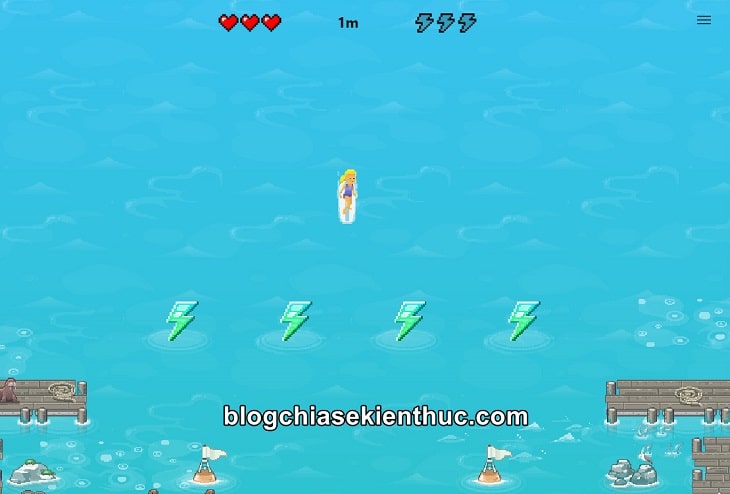
Just like the T-rex game on Chrome, the Surf game also calculates points according to the distance you have traveled from the starting line.
The game will count and show you how far you have gone at the top of the screen (unit m). Besides, you will start with 3 hearts equivalent to 3 blood.
Every time you collide with rocks, coral, land, or other objects on the water, you will lose 1 health.
And when you lose all your hearts, you lose and at the same time the game will display your achievements, and the game also does not support sharing results because if you lose a life, how can you share it 😛
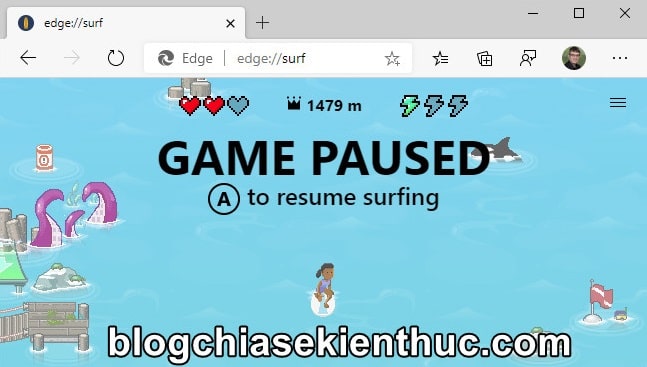
To make the game more lively, in addition to the character you control, you also have AI-controlled characters and their surfing level is no different from yours when you first play 😀
I was also quite surprised to learn that this game supports Xbox One controllers as well, you just need to connect to the computer and play like other games.
Use rod
Joystick
or
D-pad
to control the character and buttons
Trigger
to activate acceleration.
More specifically, the Xbox One controller also fully supports the vibration mode of the Surf game, vibrating when you collide with objects on the road, providing a more realistic experience.
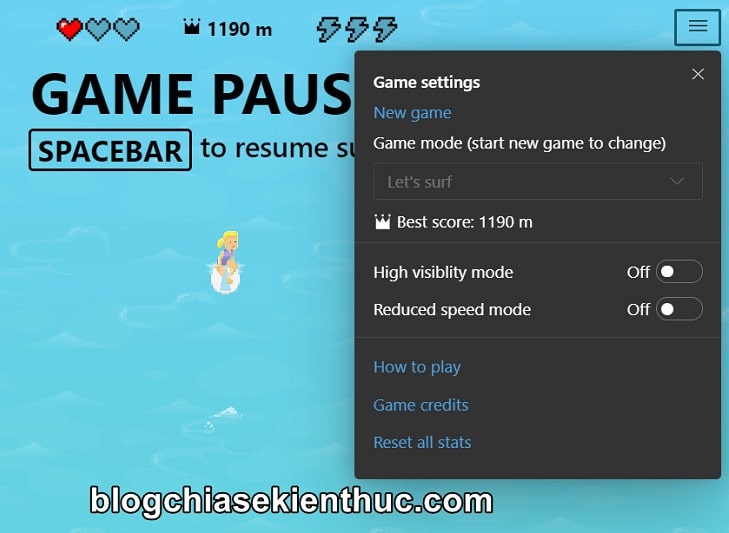
In addition to the default game of unlimited surfing, Surf also has other game modes, which you can click on
3 gạch ngang
in the corner of the screen to choose where to display the highest achievement you have ever achieved:
- Let’s Surf: The basic mode we are playing, controls the character to surf the longest distance possible.
- Time Trial: This is a race against time mode, get to the finish line as quickly as possible.
- Zigzag: You will have to pass through gates along the way, the more gates you pass through, the more points you get.
Besides, the game also has options to help you play the game easier such as
High visibility mode
make obstacles easier to see or
Reduced speed mode
to reduce surfing speed for easier control.
Above are detailed explanations about Microsoft’s Surf game. If you’ve read it and still don’t understand anything, click here
How to play
to see Microsoft’s instructions for playing!
II. Conclusion
So I have introduced and given you very detailed instructions on how to play the surfing game (Surf) on Microsoft Edge browser. What do you think about this game? Please leave your comments below in the comments section.
As for whether it can replace the legendary T-rex game or not, we still have to wait for user reviews, but I believe it is completely possible 🙂 Have fun playing the game!
Read more:
Collaborator: Nguyen Thanh Tung – blogchiasekienthuc.com
Note: Was this article helpful to you? Don’t forget to rate the article, like and share with your friends and relatives!


Post Comment