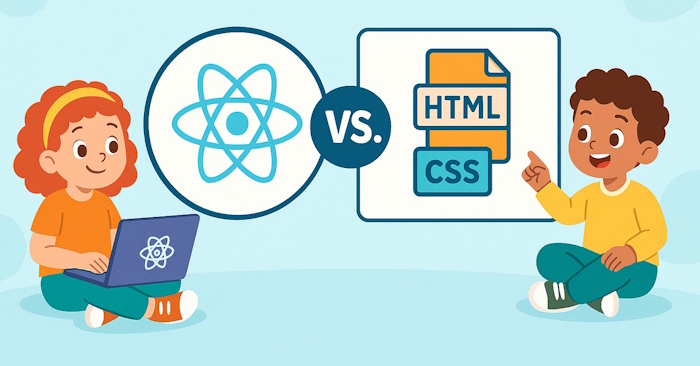
Difference between React.js, HTML & CSS

React.js, HTML & CSS are 3 basic concepts that every programmer needs to know. So how can children easily understand? React.js, HTML & CSS? The comparison below will help children quickly know the difference between React.js, HTML & CSS.
Imagine you are building your dream house in a tree. You will need wood to make the frame, paint to decorate, and possibly smart devices to help the door open and close automatically. Websites work exactly the same:
- HTML is the framework (wooden layer).
- CSS is the design part (paint layer).
- React.js is the intelligent system (devices and switches…).
These three components work powerfully together in programming — and why learning React.js after mastering HTML and CSS can turn your child into a true digital architect!
What is HTML?
HTML (HyperText Markup Language) is the language that creates the framework and structure for every website. When you see a web page with titles, paragraphs of text, or images — it’s thanks to HTML!
To children, HTML is like building blocks or Lego bricks that give shape to a web page.
For example:
This is my first paragraph.

Each card (
, ) all tell the browser what content to display.
What is CSS?
CSS (Cascading Style Sheets) is like decorating a Lego model — adding color, shape, and sparkle to the web.
If HTML plays the role of building the structure, then CSS is what gives it beauty. It’s like the paint, wallpaper, and decorations for your digital room.
For example:
h1 {
color: blue;
text-align: center;
}
p {
font-size: 20px;
color: darkgray;
}
What is React.js?
After the construction is completed”house” digitally using HTML and CSS, it’s time to turn it into a smart home — with doors that open, lights that turn on, and buttons that respond!
That’s where React.js comes into play. React.js (pronounced “React-Jay-Ess”) is a JavaScript library created by Facebook. It helps programmers build highly interactive websites and applications that respond immediately to user actions.
You can think of React.js as integrating circuits, sensors, and smart devices into digital products to bring websites to life.
For example:
function Welcome() {
return ;
}
The small React code above can display a dynamically changing greeting — such as “Good morning” or “Good evening” depending on the time.
Key differences between HTML & CSS and React.js
| Features | HTML & CSS | React.js |
| Purpose | Build and style the web | Make the website lively and interactive |
| Similarities | The house and its interior decoration 🏠 | Smart web activity control technology 🤖 |
| Lock degree | Easy for beginners | Advanced programming, using JavaScript |
| What can you do? | Website, blog, portfolio | Web apps, games, consoles |
| Project suggestions | Website about your favorite animal or tourist destination | To-do app automatically saves and updates tasks |
When these 3 tools are combined together, they will have the following functions:
| Role | Function | For example |
| 🧱 HTML | Add structure | Text, headings, buttons |
| 🎨 CSS | Beautify the web | Color, font and layout |
| ⚙️ React.js | Add “intelligence” to the web | When you click the button, it will update immediately |
When children master all three elements above, they not only learn to program but also learn how to create, innovate and express ideas through technology.
🧠 HTML creates structure.
🎨 CSS defines style.
⚛️ React creates operational power.
Their combination brings the Internet — and future programmers — to life.


Post Comment